суббота, 7 ноября 2015 г.

Maximus Gnome Shell Extension + Gnome 3.18

Try "official" extension page. Maybe it supports gnome 3.18 already: https://extensions.gnome.org/extension/844/maximus-two/
If official page still not supports - then go to https://github.com/diaevd/GnomeExtensionMaximusTwo
and click "Download ZIP" button
or use this direct link: https://github.com/diaevd/GnomeExtensionMaximusTwo/archive/3.18.zip

Also, you need to install "gnome-tweeak-tool" if you not installed this useful tool before
sudo dnf install gnome-tweeak-tool
Open gnome-tweak-tool application (for example, press Alt+F2 and type "gnome-tweak-tool"(without quotes)
Go to "Extensions" tab
Click on the "folder" icon in "Install shell extension" section (at the bottom of the list)
Select file "GnomeExtensionMaximusTwo-3.18.zip" downloaded on previous steps
Close "gnome-tweak-tool" application
Press Alt+F2 and type "r" (without quotes", press Enter
Open gnome-tweak-tool application again and go to "Extensions" tab
Enable "Maximus Two" extension using slider.

fedora 23 + nvidia proprietary drivers

Currently (7 november 2015) if you update fedora 22 to fedora 23 and if you have nvidia proprietary drivers - you will face crashing gnome 3.18
This happens because nvidia drivers are not working with latest xorg.
So you have 2 solutions:
1) wait till nvidia will release updated driver
2) downgrade xorg after fedora 22 -> fedora 23 upgrade

Let's imagine you selected "2". Then you need to follow these instructions:
dnf remove xorg-x11-drv-nouveau
dnf downgrade xorg-x11-server\* --releasever=22 --allowerasing
echo "exclude=xorg-x11*" >> /etc/dnf/dnf.conf
dnf install akmod-nvidia --releasever 22
systemctl enable akmods
reboot

I "gathered" these instructions from following places:
https://lists.rpmfusion.org/pipermail/rpmfusion-users/2015-November/000705.html
http://rpmfusion.org/Howto/nVidia

понедельник, 16 декабря 2013 г.

how to disable alt+f1 in gnome 3.10 (fedora 20)

run in terminal:
gsettings set org.gnome.desktop.wm.keybindings panel-main-menu "[]"
logout & login (or alt+f2 and execute command "r")

среда, 16 января 2013 г.

Как менять раскладку клавиатуры в gnome 3.6 (Fedora 18)

Если вы хотите менять раскладку, используя capslock или Alt + Shift, то вам нужно использовать "Tweak Tool" - програмку: 1. Запустите "gnome-tweak-tool" приложение. Например, нажмите Alt + F2 и впишите туда эту команду. 2. Перейдите в "typing" секцию. 3. Выберите "Caps" в "Modifiers-only input sources.." 4. Радуйтесь

how to switch keyboard layout in gnome 3.6

If you want to use capslock or alt + shift to switch keyboard layout -> use Tweak Tool. 1. Run "gnome-tweak-tool" app. 2. Go to "typing" section. 3. Select "Caps" in "Modifiers-only input sources.." 4. Enjoy

вторник, 18 декабря 2012 г.

How to use pulseaudio 3.0 in Fedora 18

As you know, pulseaudio 3.0 was released recently. But Fedora 18 will include pulseaudio 2.1 by default and 3.0 will be used in Fedora 19.

So if you want to upgrade pulseaudio in your fedora 18 to version 3.0 - just add this repository: http://repos.fedorapeople.org/repos/rdieter/pulseaudio-backport/

How to add this repository? Just save file fedora-pulseaudio-backport.repo in /etc/yum.repos.d directory.

Bonus! Fedora 17 users can update their pulseaudio 1.1 to 2.0 using this repo too!

Thanks to Rex Dieter for this repo!

Как использовать pulseaudio 3.0 в fedora 18

Всем привет! В Fedora 18 будет pulseaudio 2.1 т.к. 3.0 вышла слишком поздно для включения её в 18 федору и будет доступна только в Fedora 19.

Но! Есть способ обновиться до 3.0 уже в 18 федоре! Это просто! Нужно установить вот этот репозитарий: http://repos.fedorapeople.org/repos/rdieter/pulseaudio-backport/

Как его подключать? Сохраните файлик fedora-pulseaudio-backport.repo в /etc/yum.repos.d

Кстати, в Fedora 17 используется pulseaudio 1.1, но можно легко обновиться до 2.0, подключив этот же репозитарий! :-)

Надеюсь, что этот пост будет полезен хоть одному человеку.

Спасибо Rex Dieter за этот репозитарий!

понедельник, 11 июня 2012 г.

menu editor for gnome 3

Menu editor "alacarte" was broken since Gnome 3.2 (or even earlier).

But now it was fixed! You can create your own menu items using this awesome tool!
Just instal alacarte and run it:
sudo yum install alacarte

screenshot:

воскресенье, 10 июня 2012 г.

gnome 3.4 - disable Alt windows dragging

This behavior is very annoying. So I spent ~30 minutes to find working solution.
I tested on Fedora 17, it works!

Install dconf-editor:
sudo yum install dconf-editor

Then run:
dconf-editor

Then navigate to:
org → gnome → desktop → wm → preferences → mouse-button-modifier

Change the value to:<Super>
or:<Super><Alt>


Close the dconf-editor window.

вторник, 28 июня 2011 г.

how to set gnome-terminal default size in gnome 3

To set default size for gnome-terminal:

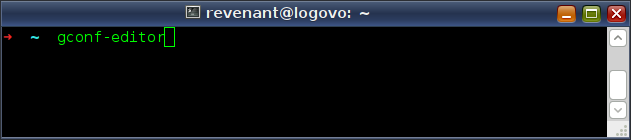
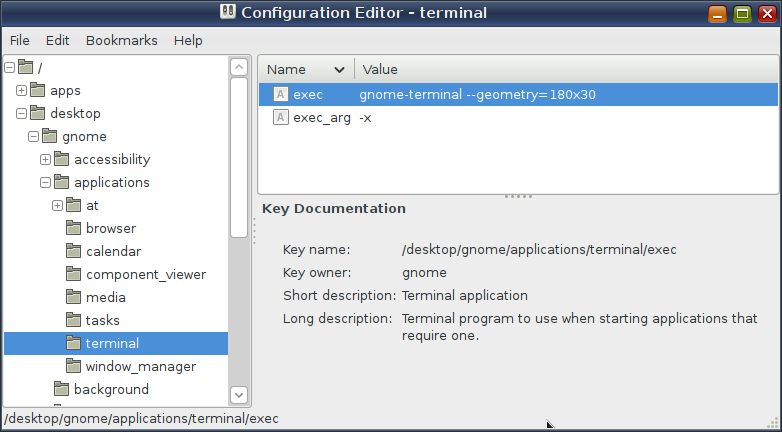
1. run "gconf-editor" command


2. navigate to /desktop/gnome/applications/terminal


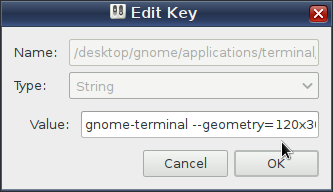
3. change "exec" key to "gnome-terminal --geometry=120x30" where 120x30 - your favourite size


4. You can add offset to the window. Example: gnome-terminal --geometry=140x40+60+150

5. enjoy!

как ускорить intellij idea

- Как ускорить Intellij Idea?
- Прописать более агрессивные настройки для виртуальной машины Java + увеличить память + задействовать новый сборщик мусора...

Итак, поехали!

Эти настройки работают только для тех, у кого Idea запускается под JDK 1.6.0_14 или выше

1. Ищем файлик "idea.vmoptions" (в линукс версии он находится в idea/bin)
2. заменяем настройки JVM (не всё содержимое файла, а только -X опции) на:
-XX:+UnlockExperimentalVMOptions
-XX:+UseG1GC
-Xms256m
-Xmx640m
-XX:+AggressiveOpts
-XX:MaxPermSize=256m
-XX:ReservedCodeCacheSize=64m
3. радуемся более отзывчивой Idea

понедельник, 27 июня 2011 г.

ускорение эклипс (eclipse speedup)

Описанный ниже рецепт поможет сделать эклипс(даже indigo) более отзывчивым (у меня он стал в разы отзывчивее при большом количестве файлов!), он будет работать на 40% быстрее и даже быстрее запускаться!

Но выигрыш в скорости будет лишь, если ваша машина(компьютер) удовлетворяет таким условиям:
1) У вас должен быть многоядерный процессор(или многопроцессорный компьютер)
2) Вы должны запускать эклипс под Java 6 (jdk1.6.0_14 или выше)

Что надо сделать:
Заменить в файле eclipse.ini (лежит в директории, куда установлен эклипс) содержимое секции "vmargs":
To increase performance of your eclipse, just replace "vmargs" section in "eclipse.ini" file as shown below
-vmargs
-Dosgi.requiredJavaVersion=1.6
-XX:+UnlockExperimentalVMOptions
-XX:+UseG1GC
-Xms256m
-Xmx640m
-XX:+AggressiveOpts
-XX:MaxPermSize=256m

это ДЕЙСТВИТЕЛЬНО РАБОТАЕТ!!!

суббота, 25 июня 2011 г.

final workaround for "no sound" bug with fedora 15 linux and audigy 4 soundcard

Please read my previous post about that problem

If you tried my temporary workaround from my previous post, you may notice that after reboot - still no sound. "S/PDIF" was turned on again and you need disable it again using alsamixer.

I have a good news for you! You can still have a sound with enabled SPIDF by default!

How to do that? Follow these steps:
1. do not disable SPDIF (or just reboot, it will enabled again)
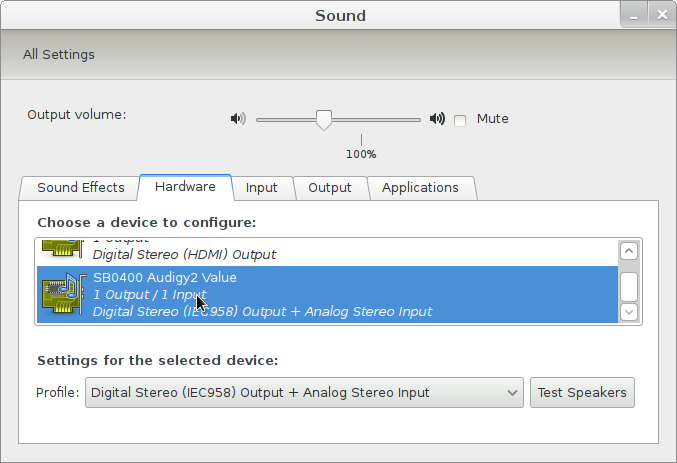
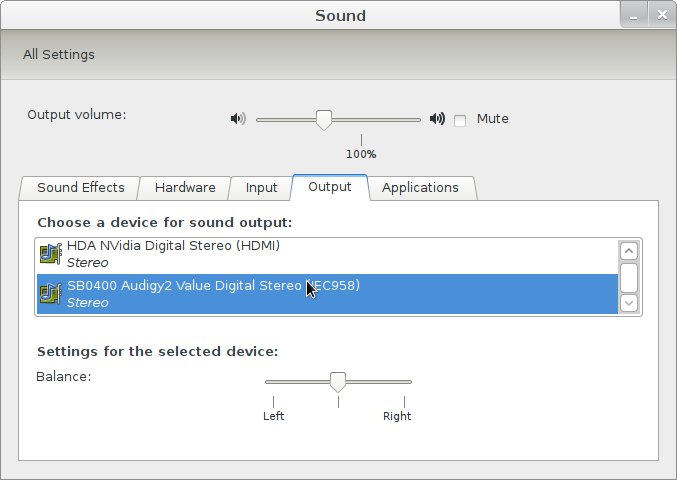
2. go to "Sound Settings" in gnome settings and switch to "Hardware" tab
3. choose "Digital stereo ... output" profile (settings was just reverted! I know that you have analog audio!)


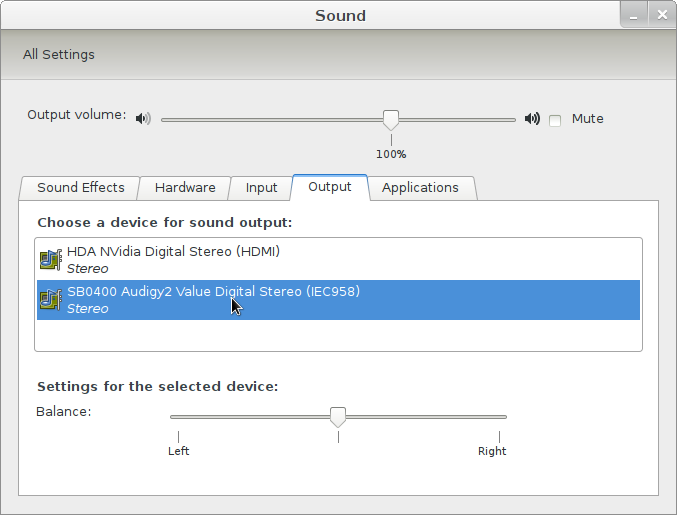
4. switch to "Output" tab and select your "Audigy" soundcard


5. check your sound! It should work now!

Fedora 15 and audigy 4 - temporary solution for "no sound" problem

If you have no sound with "Fedora 15" linux and audigy 4 soundcard, read this post.

This time I will provide you a temporary solution. Just to try. Next time I will provide you complete workaround.

This is a known bug: https://bugzilla.redhat.com/show_bug.cgi?id=543693
But workaround exists!

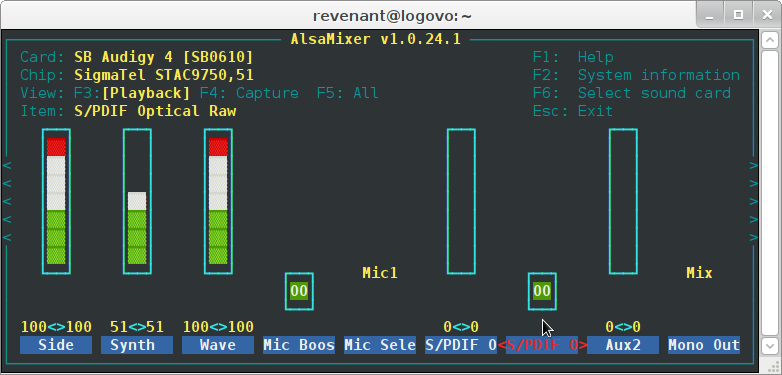
You need to turn off "S/PDIF Optical Raw". It is enabled by default.

For example,
1. run any audio file (to hear changes later)
2. run gnome-terminal or any other terminal window.
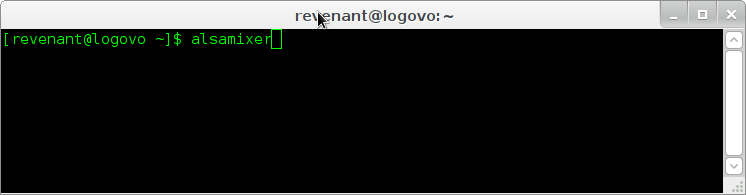
3. run "alsamixer" programm


4. press F6 and select your audigy 4 soundcard


5. scroll to "S/PDIF" control and press "M" key on keyboard


You should hear sound. If you did not hear - run "Sound Settings" (for Gnome) then switch to "output" tab and select your Audigy soundcard as default device


P.S. Sorry for my ugly english. I just want to help.

понедельник, 4 апреля 2011 г.

how to increase mouse cursor speed under linux

Hello!

You want to increase mouse pointer speed in linux? Just run command: xset m 6 1
First parameter "6" - speed. I use these settings: xset m 7 1

THIS is a very useful site.

четверг, 31 марта 2011 г.

good text editor under linux (fedora)

I feel that there is a lack of good text editor in linux. I like notepad++, but it works on windows only. So I found a good text editor under linux:http://e-texteditor.com
Linux version is free (as in beer).

Full text how to build it under fedora linux:
http://fixnum.org/blog/2009/e_on_fedora/

Here are some main points from the article above (just in case of official blog down):

1. yum install wxGTK-devel glib2-devel atk-devel libcurl-devel libtomcrypt-devel libtommath-devel flex
2. yum install libxml2-devel libxslt-devel libsqlite3x-devel libicu-devel libjpeg-devel gperf
3. git clone git://github.com/etexteditor/e.git
4. cd externals; ./get_externals_linux.sh
5. ./build_externals_linux.sh debug
6. cd ../src; make DEBUG=1
7. strip e.debug -o e.stripped
8. strip e.debug -o e.stripped
9. wget http://fixnum.org/public/e/e-bundles-themes.tgz
10. tar xzf e-bundles-themes.tgz -C ~/.e/

I know that this is not very easy to execute. For windows like users >:->

четверг, 10 марта 2011 г.

java 7 name

Только что узнал, что java 7 будет иметь кодовое имя "Дельфин". FFFUUUUUU!!! Я бы назвал "Anger" или "Rocket", но никак не "Dolphin". Абсолютно пассивное название :(

четверг, 24 февраля 2011 г.

time management

Все пытаюсь усовершенствовать навыки тайм менеджмента. Занимаемся В ЭТОЙ СТАДИ ГРУППЕ

Пока что накатал себе вот такой шаблон на неделю:


Это еще не окончательный вариант. Это лишь шаблон.
Пока что на каждый день я рисую ручкой в тетради себе список задач, а этот план помогает ничего не забыть.

среда, 23 февраля 2011 г.

мой домашний рабочий стол

Раз пошла ТАКАЯ ПЬЯНКА

Домашнее рабочее место. Монитор подключен к ноуту, клава и мышка тоже ;-) вторая мышка глючит, нужно прочистить от мусора, не разбирается, отложил пока что.


P.S. Если не видно, то линукс у меня :-)

пятница, 11 февраля 2011 г.

25 days

Привет!

Хотите стать умнее и изменить свою жизнь к лучшему? :-) И я хочу! Поэтому, начал заниматься по программе 25 days

Тренинг проходит каждый месяц, так что записывайтесь!